Site Documents

The solution

Every site document, signed, without the chase

Give your team one place to upload, share, and sign site documents. ‍One.site replaces fragmented file systems, out-of-date versions, and chasing ‍signatures with folders your team can trust and sign-off you can prove.

Book your demo

Turn observations into action

Most hazards are seen on site, but never get reported. Download the whitepaper to find out how to build an observation culture that drives action.

Organise your files

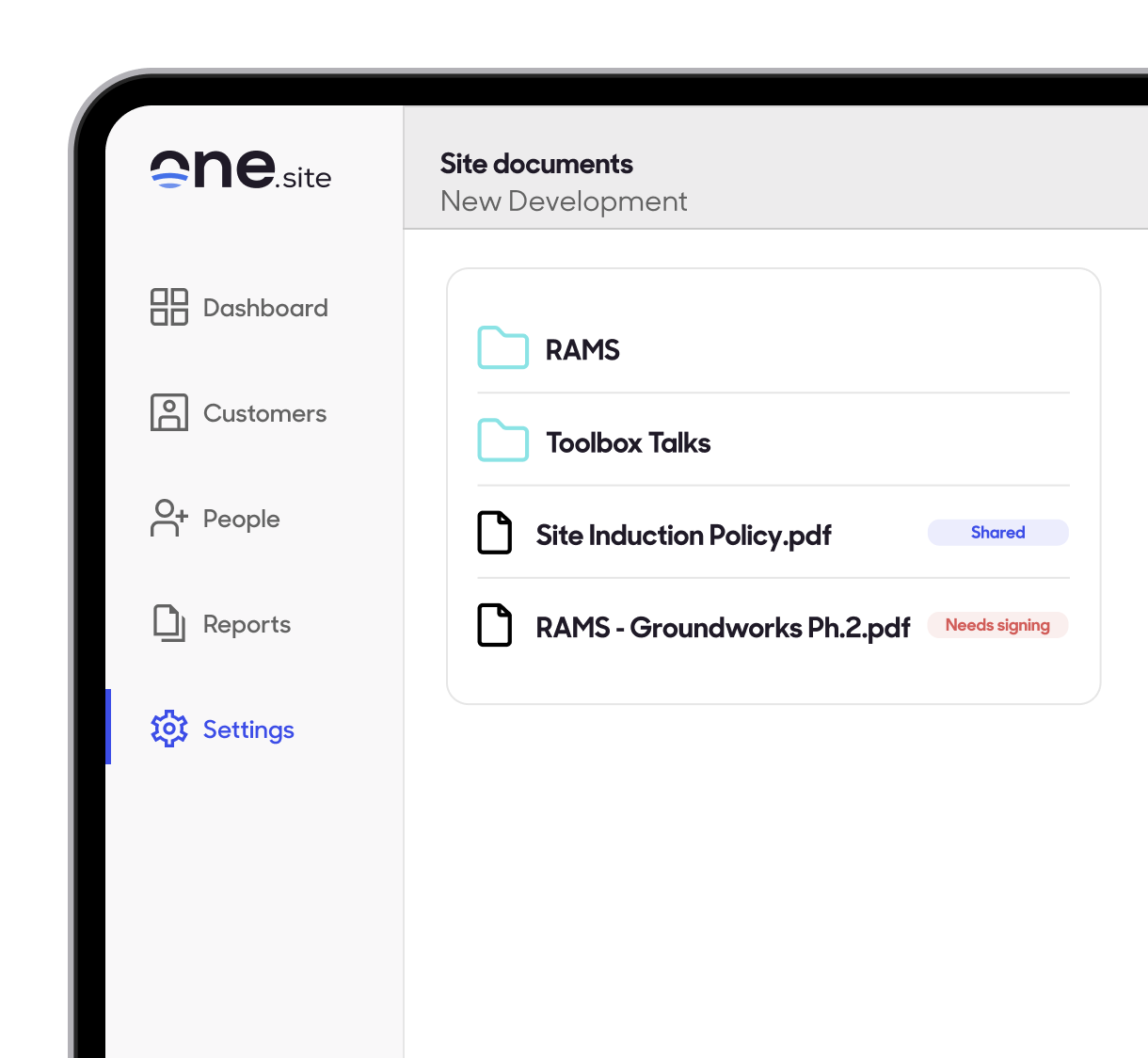
Create as many folders as you need and keep them organised exactly how your site works.

Includes:

  • Drag and drop uploads, several files at once
  • Site-wide search, not just the folder you're in
  • Rename, move, or bulk-delete files anytime

Set the visibility

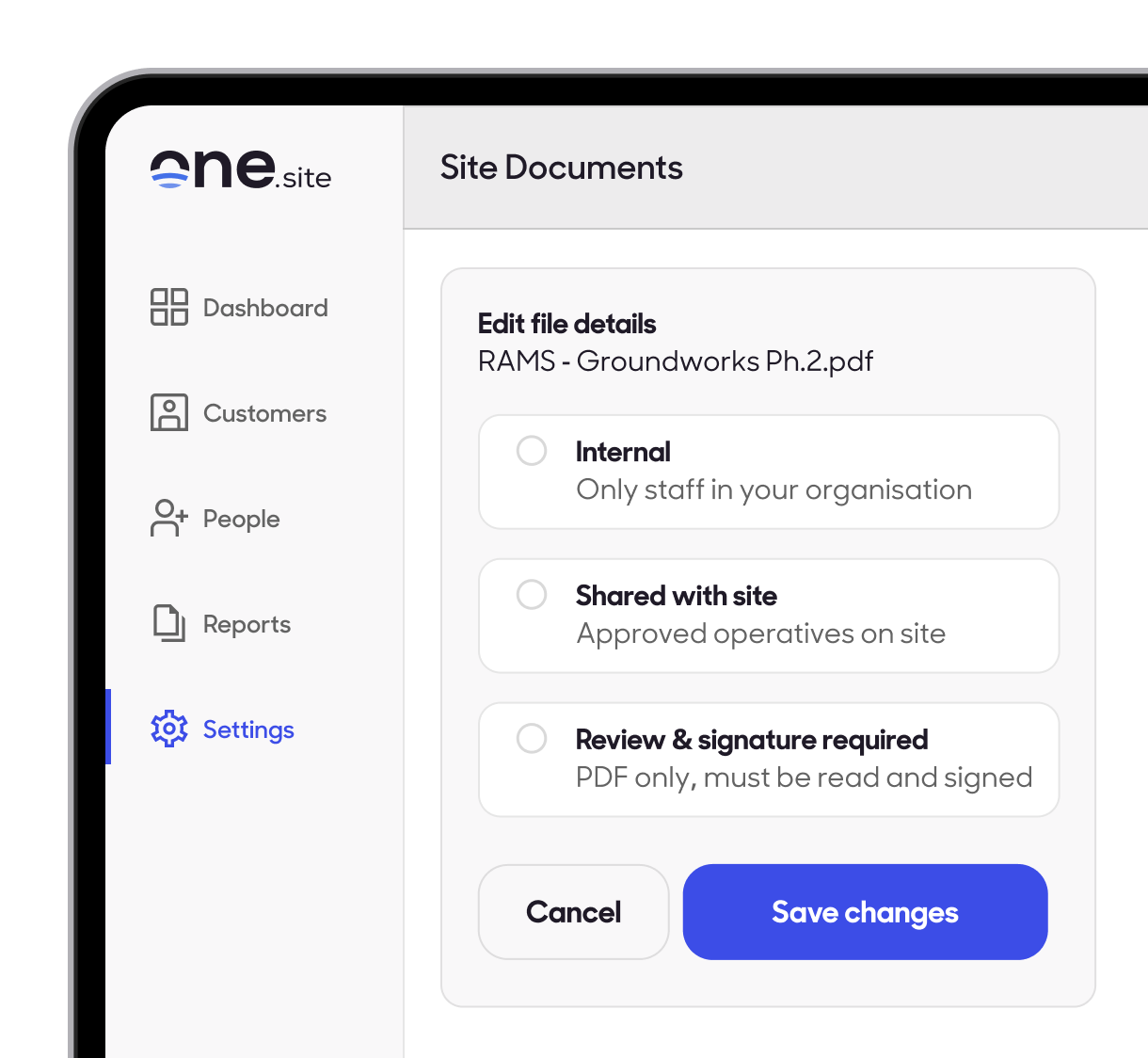
Mark your files as internal, shared with site, or review and signature required.

Includes:

  • Internal means only staff in your organisation can see the file
  • Shared with site means any approved operative or contractor can see the file, tracked as Viewed or Not Viewed
  • Review & Signature Required means the file can't be closed until it's been read and properly signed

Get your documents signed

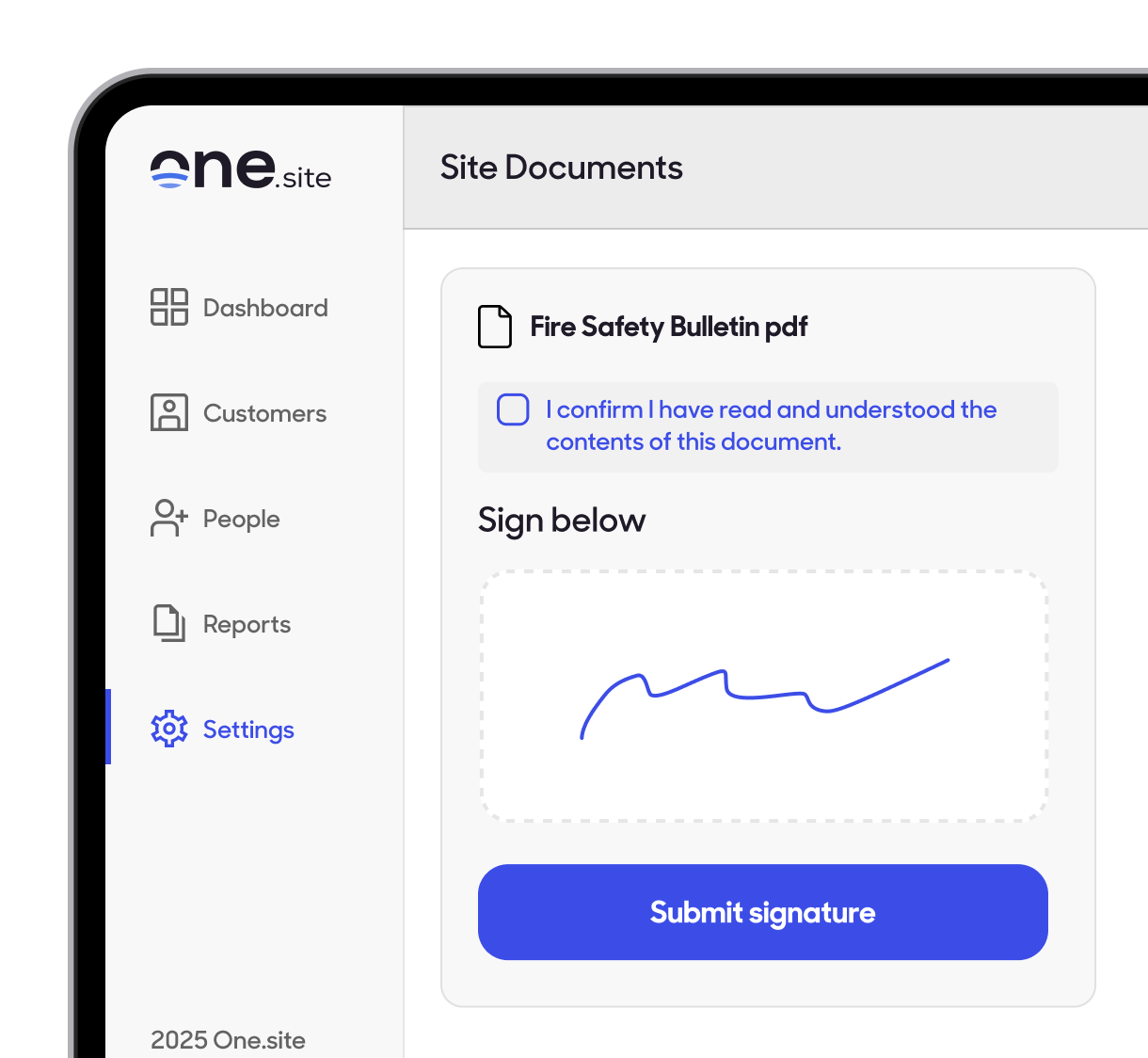
Documents like RAMS and toolbox talks often need more than a read — they need proof someone acknowledged them. With One.site, operatives sign off with a real signature, not a tap.

Includes:

  • A genuine drawn signature — a single tap or a straight scribble isn't accepted
  • Every signature timestamped, with a live record of who's signed and who's still pending
  • Replace the file and everyone has to sign again, so sign-off is never out of date

"

"

Let One.site take admin off your mind

Book your demo

More solutions in action...

Remote Inductions

Done before day one, so operatives arrive ready.

Explore solution

Site Access Management

Fast digital sign-in without queues.

Explore solution

Site Reporting

Live attendance data and exportable reports.

Explore solution
Site Documents

Every site document, signed, without the chase

Give your team one place to upload, share, and sign site documents. ‍One.site replaces fragmented file systems, out-of-date versions, and chasing ‍signatures with folders your team can trust and sign-off you can prove.

Everything you need to manage site documents, in one place

Folders organised exactly how your site works, searchable from anywhere
Visibility set per file - internal, shared with site, or signature required
A full record of who's read and who's signed, always up to date
Documents, spreadsheets, drawings, photos, video and audio - up to 100MB per upload

Store, share, and sign documents

Get a record of who on site has read and signed documents, including support for multiple media types.
One.site Site Documents allows users to upload documents such as RAMS, toolbox talks, and drawings, and organise them into folders within a site document library. Each document has a visibility setting: Internal (visible only to staff in the organisation) or Shared with Site (visible to all approved operatives). A third option, Review and Signature, requires assigned operatives to read and sign the document. When using Review and Signature, documents can be assigned to all operatives on site or to specific operatives identified by name.
To upload a document, navigate to the site document library via the Site Docs tile on the dashboard, select the target folder, click Add, choose the file, and give it a name. Selecting Upload uploads the file and sends a notification to operatives who are required to sign.
Uploaded documents appear in a list showing signing status at a glance. When an operative logs into One.site, they see an action prompting them to review and sign the document. The document viewer opens for the operative to read the document, enter a signature, and submit. Site managers can then view all signature statuses and export a report directly from the app.

Organise your files

Create as many folders as you need and keep them organised exactly how your site works.

Includes:

  • Drag and drop uploads, several files at once
  • Site-wide search, not just the folder you're in
  • Rename, move, or bulk-delete files anytime

Set the visibility

Mark your files as internal, shared with site, or review and signature required.

Includes:

  • Internal means only staff in your organisation can see the file
  • Shared with site means any approved operative or contractor can see the file, tracked as Viewed or Not Viewed
  • Review & Signature Required means the file can't be closed until it's been read and properly signed

Get your documents signed

Documents like RAMS and toolbox talks often need more than a read — they need proof someone acknowledged them. With One.site, operatives sign off with a real signature, not a tap.

Includes:

  • A genuine drawn signature — a single tap or a straight scribble isn't accepted
  • Every signature timestamped, with a live record of who's signed and who's still pending
  • Replace the file and everyone has to sign again, so sign-off is never out of date

Most hazards are seen on site, but never get reported. Download the whitepaper to find out how to build an observation culture that drives action.
|

Every document, saved in one place.

See how Documents works end-to-end – uploading, setting visibility, and getting sign-off you can prove.